
Property Developers
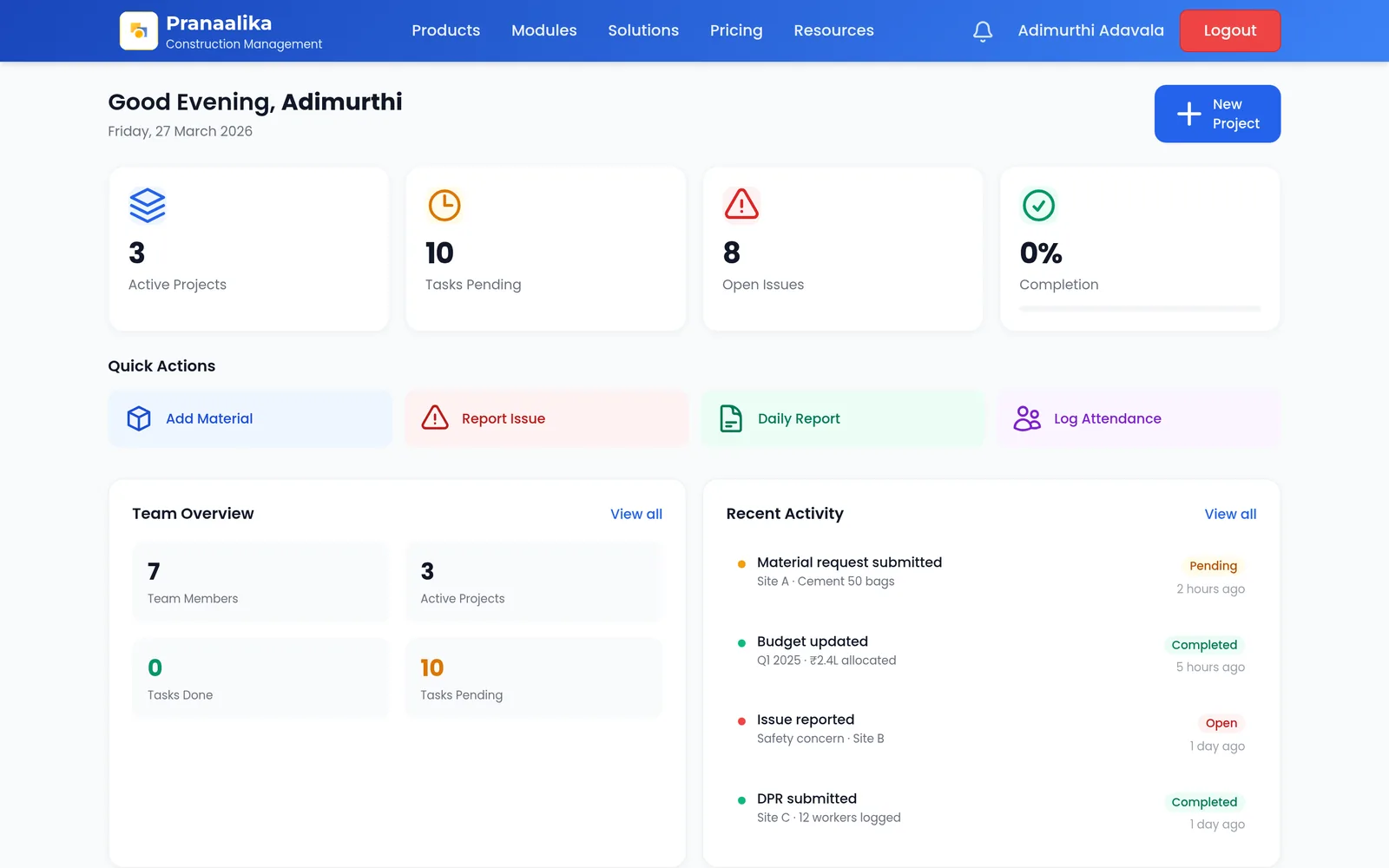
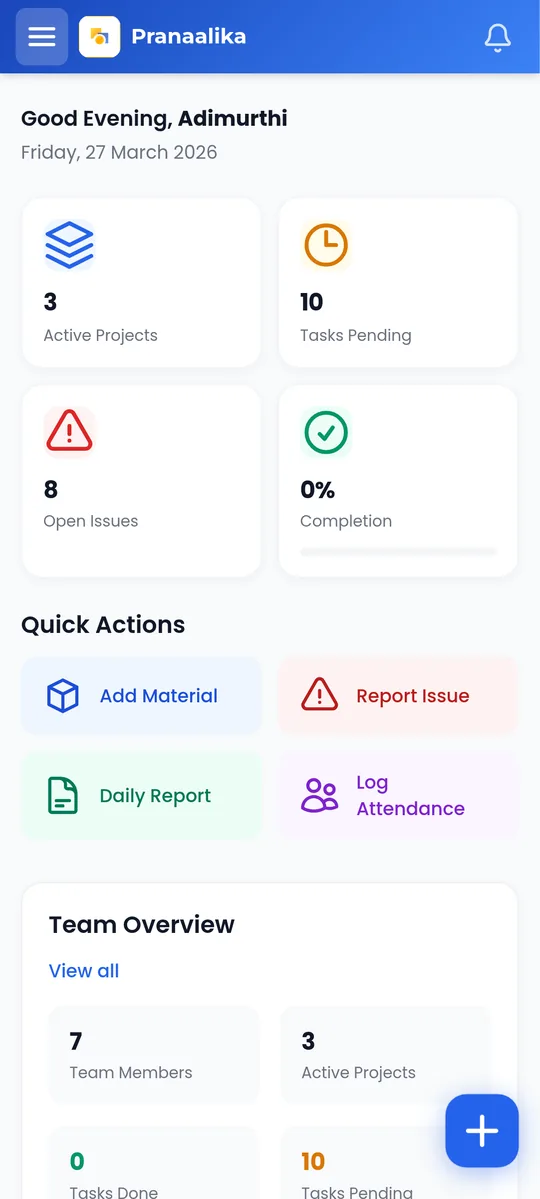
A clean portfolio view and owner-ready reports across every project.
Pranaalika Nirman
One platform for Indian builders, contractors and developers: projects, materials, labour, costs, quality and daily progress reports, all connected. AI drafts your reports and answers questions about your sites.
No credit card required Web and mobile apps Mobile-number sign-in for site teams
The problem
WhatsApp, Excel, paper and email, reconciled by hand every week.
Hard to see how every site is doing without calling each one.
Material wastage and cost overruns show up at the audit, when they are expensive to fix.
Reports for owners and clients are built by hand, again and again.
What is inside
Site teams capture work once. Managers and owners see it everywhere it matters.
Projects, sites and sub-sites in one structured workspace.
Materials, indents, GRN, transfers and stock movements.
Direct and vendor labour, attendance and payroll inputs across sites.
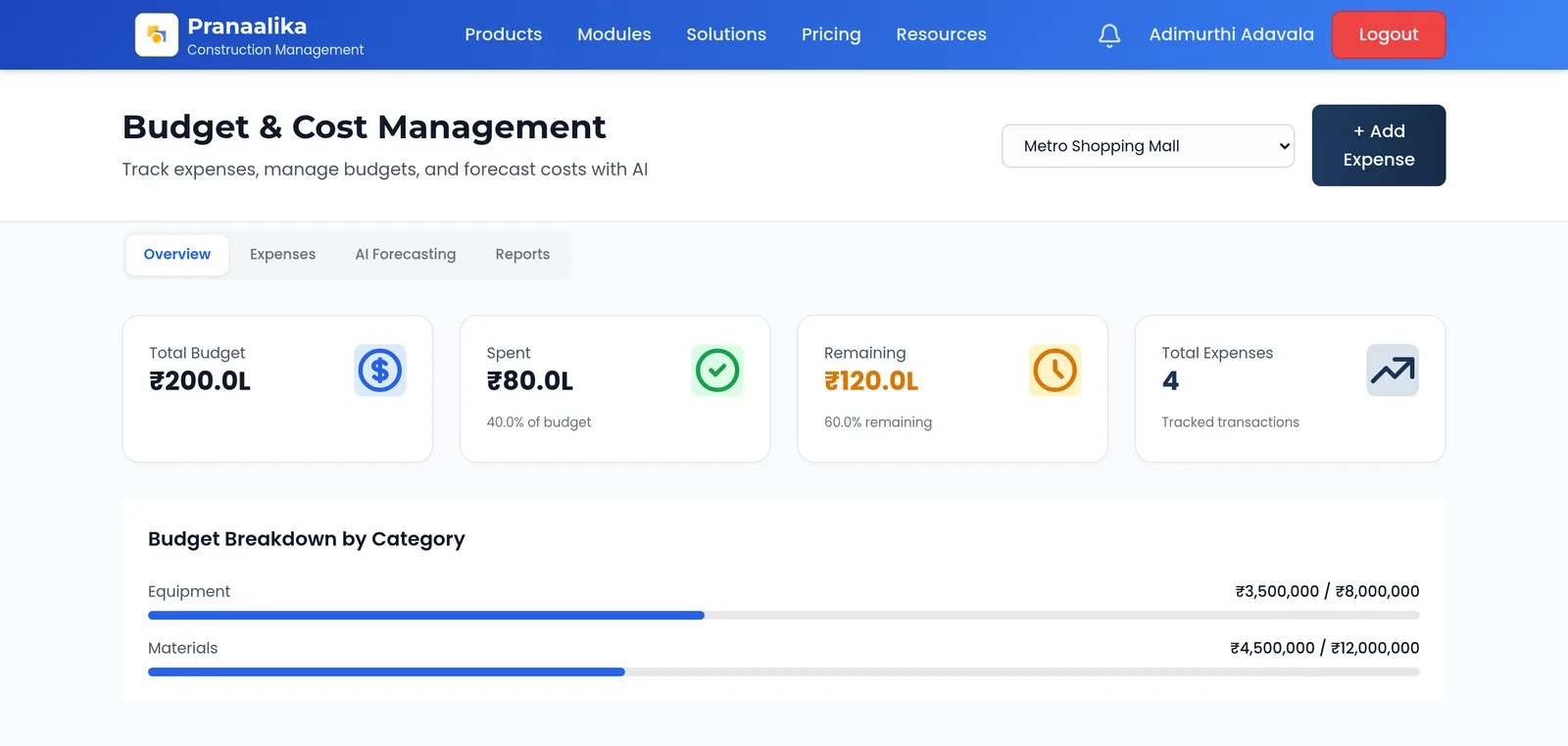
Budgets, expenses and petty cash with clear approvals.
Issues with photos, owners and resolution tracking.
DPRs by activity and location, captured on site.
Task scheduling and a Kanban board for tasks across sites.
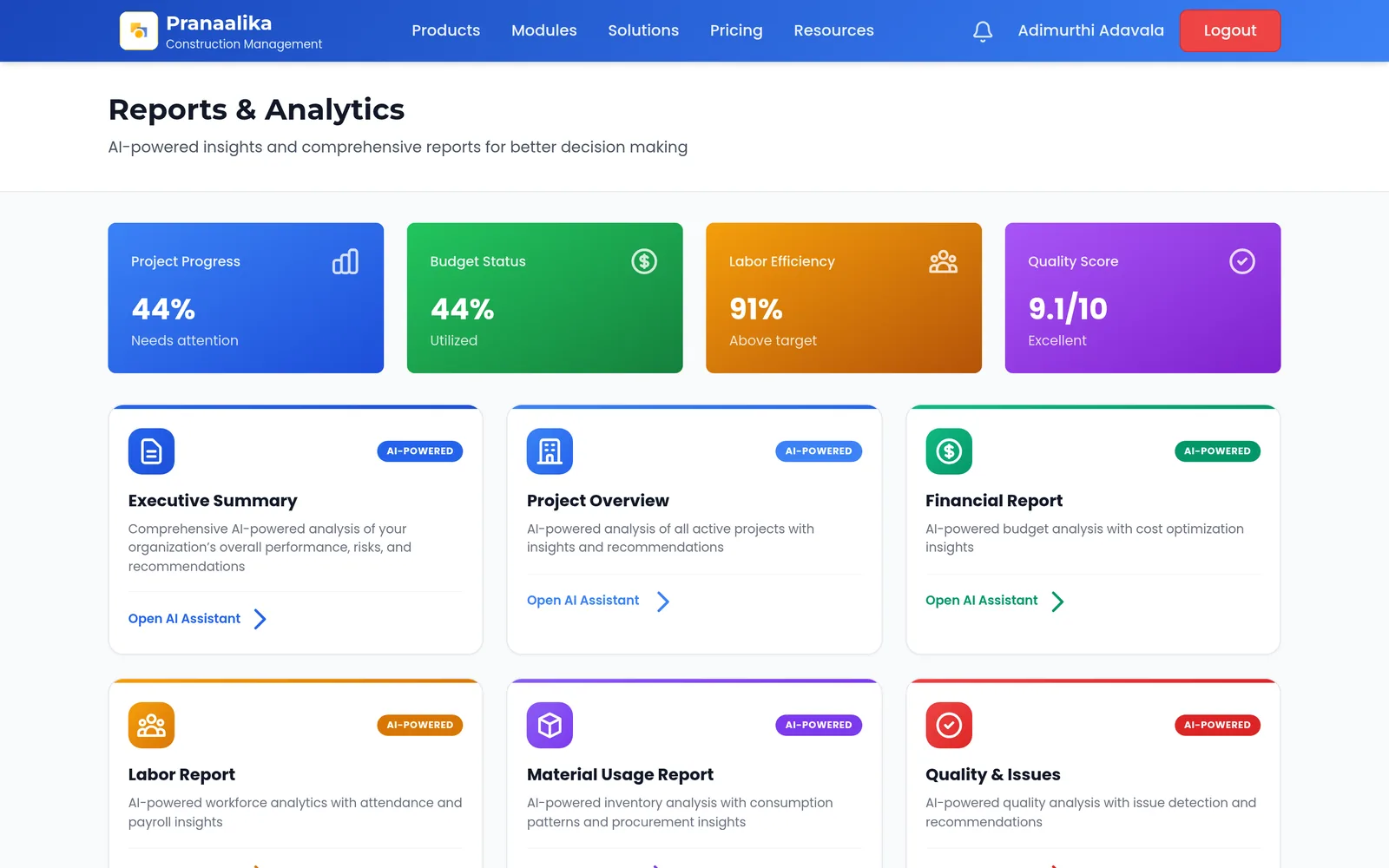
DPR, executive, financial, labour and material reports drafted from live project data.
Ask questions about your projects in plain language.
Budget anomalies, labour trends and material spikes, flagged early.
Every report in one searchable place.
Clear visibility of how much AI your team uses.
Budgets and payroll are limited to the roles that need them.
AI built in
Most construction software stores what you type. Nirman also does the reporting work for you.
"What activities are running behind on the Hyderabad project?"
Costs and quality
Budgets, expenses and site issues are recorded where the work happens, so the office sees them the same day.
A typical day
Field teams capture work on their phones. Everyone else gets answers and reports without chasing people.
Android app rolling out on Google Play.
Field engineers log progress, materials used and worker attendance from the mobile app, on site.
A project manager asks the AI Assistant which activities are behind and gets an answer from today's data.
AI Reports drafts the daily DPR from the captured data. The engineer reviews and submits it in minutes.
An executive summary for the owner is generated on demand from the Reports Hub.
Under the hood
Phones and browsers talk to one API that keeps every company's data separate. AI runs on our own platform, with local models first and cloud models as a fallback.
Swipe sideways to see the whole diagram.
Who it is for
A clean portfolio view and owner-ready reports across every project.
Coordinate subcontractors, materials and workforce across multiple sites.
See what is behind, over budget or blocked, and act the same day.
Log progress, materials and attendance from the site in a few taps.
Record vendor labour and work done in the same system as the main contractor.
Not a full ERP, accounting system or BIM/design tool, and not for single-home renovation. We focus on multi-site construction operations.
Getting started
We do not leave you to set it up alone.
30 minutes to understand your projects, workflow and current tools.
We configure a workspace with your first project in 2 to 3 days.
Your real team uses it on a real project, with us a phone call away.
Continue on a paid plan, or step away with no charge.
Book a 30-minute walkthrough, or start your free trial now.